
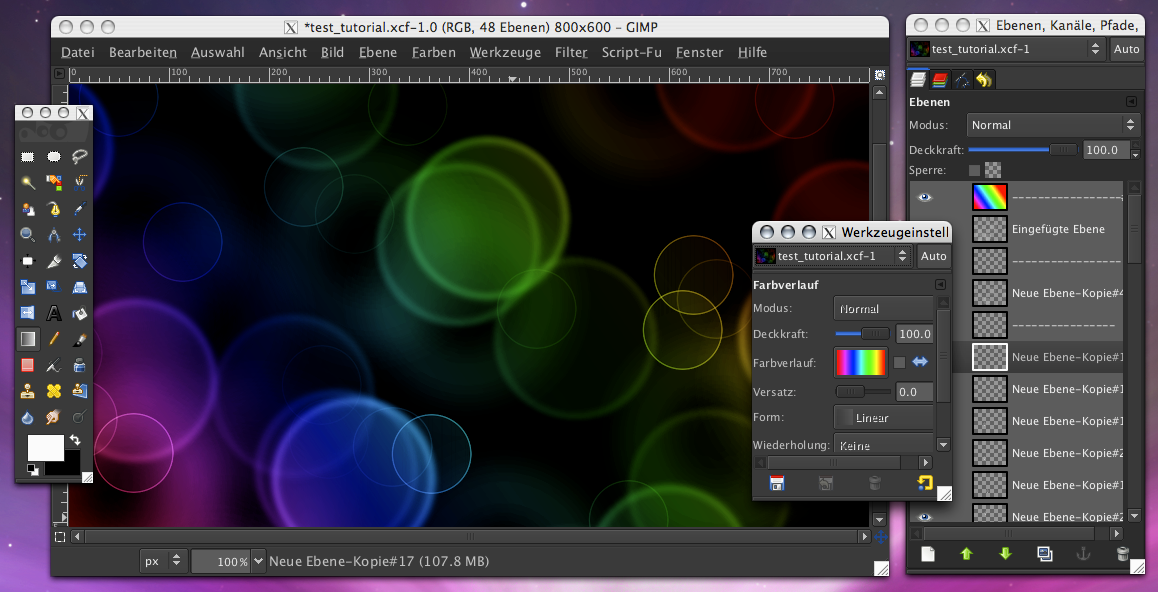
 Nicht so perfekt wie beim Color Bokeh Effect in Pixelmator Tutorial und noch viel viel zu dunkel, aber für einen ersten schnellen Versuch mit Gimp gar nicht so übel.
Wann, wenn nicht jetzt!
Nicht so perfekt wie beim Color Bokeh Effect in Pixelmator Tutorial und noch viel viel zu dunkel, aber für einen ersten schnellen Versuch mit Gimp gar nicht so übel.
he dein gimp schaut stylisch aus… da hab ich wohl was verpasst
Wieso verpasst? Hab nur ein anderes GTK Theme verwendet. Bei der Gimp Version von lisanet liegt diese schicke ProApp Theme ja mit bei.
Und wie genau ändert man das? Bei lisanet steht nur:
GTK themes included
These builds use some GTK themes to give a more OS X like look&feel to GIMP.
If you‘re working on photos, you may want to give a try to the „ProApp“ theme with it‘s dark and neutral colors.
To change the themes, please go to your home directory, there into „Library/Application Support/Gimp“ and edit the file „gtkrc“ with TextEdit.app.
Ok, ich hab die Datei offen, aber was trägt man da ein?
Unter:
Gimp.app/Contents/Resources/etc/gtk-2.0/gtkrcbefindet sich die default gtkrc. Diese einfach nach:
Library/Application Support/Gimpkopieren und das gewünschte Theme eintragen.
Ich hoffe das hilft dir weiter.
Eintragen? Was eintragen? Wo?
Ich bin da zu blöd für …
Ich werde heute Abend mal einen kleinen Blogbeitrag dazu verfassen, bin auch noch von anderer Seite drauf angesprochen wurden.
Ich hoffe du kannst deine Ungeduld bis dahin noch zügeln.
Edit: … und hier ist er auch schon: Gimp unter Mac OS X
[…] tigion: Ich werde heute Abend mal einen kleinen… […]
THX, ich werde mein Glück versuchen
[…] über Gimp berichtet (was ich immer wieder gerne lese!), bin ich beim Artikel “Kleines Zwischenspiel mit Gimp” auf das ProApp-Theme aufmerksam […]
[…] einiger Zeit hatte ich einen Screenshot von Gimp unter Mac OS X gezeigt, worauf ich ein paar Anfragen zum Wie und Was […]